
Voice chat is mandatory in We Were Here Tomorrow. Microphone requirements, setup steps for PC and console, and fixes for common voice problems.
We Were Here Tomorrow Voice Chat and Mic Setup
Voice chat is not a nice extra in We Were Here Tomorrow — it is the core mechanic. The Steam page requires both players to have a working PC-compatible microphone, and every puzzle is designed around two people who see different things talking constantly through their walkie-talkies. No microphone means no game, for either player.
Treat this page as a pre-flight checklist. Ten minutes of audio setup before launch night saves an hour of debugging while your partner waits.
Microphone Requirements
| Requirement | Detail |
|---|---|
| Who needs one | Both players — no exceptions |
| What kind | Any working PC-compatible microphone (headset mic, standalone mic, or console headset) |
| Connection | Broadband internet on both sides |
| Speakers vs headset | Headset strongly recommended — speakers cause echo that leaks game audio into your mic |
The headset point deserves emphasis. Open speakers feed the facility's ambient audio straight back into your microphone, and your partner hears themselves echoed half a second late. In a game built on precise callouts, that echo ruins puzzles. Both players on headsets is the single highest-value setup step.
Official source: We Were Here Tomorrow on Steam
PC Setup Steps
- Connect before launching. Plug in or pair your headset, then confirm Windows lists it as both output and input.
- Check privacy permissions. Windows 11 can block applications from the microphone. Verify the game will be allowed to listen — this is the most common cause of "my mic works everywhere except the game."
- Set input levels. Aim for your normal speaking voice to peak comfortably below clipping. Walkie-talkie voice in these games is always-on or push-to-talk depending on implementation — either way, a hot mic that clips is worse than a quiet one.
- Close competing apps. Another voice app holding exclusive control of the mic can starve the game. Close or fully quit Discord, browser voice chats, and recording tools before starting.
- Test with your partner early. Join the session, confirm two-way audio in a calm moment, and agree on your spelling alphabet before the first puzzle.
Console Setup Steps
Console players face a different classic failure: the headset works, but its audio routes to a platform party instead of the game. Before launch:
- Confirm your headset is set as the communication device, not just audio output.
- Keep voice inside the game — do not sit in a PS5 party or Xbox party chat that captures your mic instead.
- If your partner cannot hear you but you hear them, the fault is almost always on the silent side's input routing, not the game's servers.
Platform combinations and crossplay behavior are covered in crossplay and platforms.
How to Talk: Communication Technique
Hardware is half the battle. The other half is technique, because asymmetric puzzles punish vague descriptions:
| Technique | Example |
|---|---|
| Narrate everything you see | "I am in a round room with a green chalkboard and three levers" |
| Spell symbols phonetically | "Second symbol looks like a K for Kilo with an extra leg" |
| Confirm, don't assume | "Say back what you are about to pull before you pull it" |
| One person leads per puzzle | Decide who describes first; talking over each other loses information |
| Read numbers digit by digit | "Four … seven … two" beats "four hundred seventy-two" |
Series veterans on the community subreddit swear by the read-back rule: the partner repeats the instruction before acting on it. It feels slow exactly once, then it saves a run. More habits like this live in beginner tips.
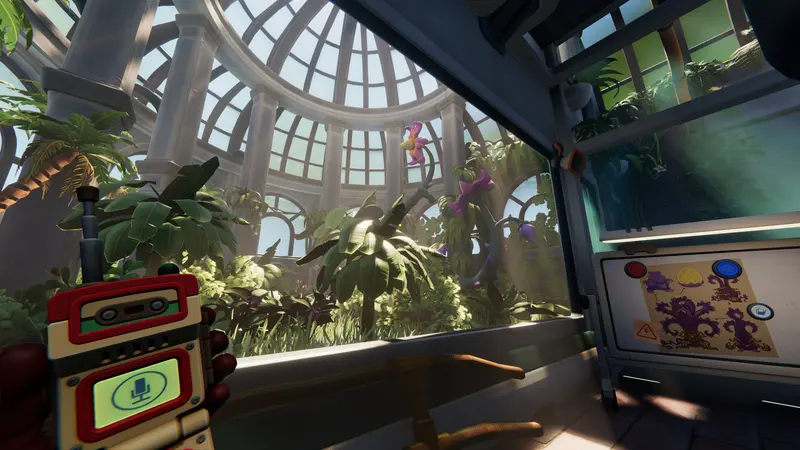
In the fiction you each carry a walkie-talkie; in reality your headset is that device. When voice works, the fantasy clicks — you genuinely become each other's eyes and ears. Protect that channel like it is part of your inventory.
Fixing Common Voice Problems
| Symptom | Likely cause and fix |
|---|---|
| Partner cannot hear you at all | OS microphone permission, wrong input device selected, or mic muted at hardware level |
| You cannot hear your partner | Your output routing, or their mic issue — isolate by testing each direction separately |
| Echo of yourself | Your partner uses speakers; both switch to headsets |
| Robotic or cutting audio | Bandwidth dip on either side; close downloads and streams, prefer wired connections |
| Works in menus, dies in game | Exclusive-mode capture by another app; close Discord and overlays, restart the game |
If voice fails mid-session and will not recover, most pairs fall back to a phone call or the community Discord on speaker-adjacent low volume as a stopgap — then fix the real problem after the session, because half-duplex speaker audio degrades every puzzle.
When a puzzle itself has you stuck rather than the audio, switch to what to do when stuck.
FAQ
Is a microphone required for We Were Here Tomorrow?
Yes, for both players. The Steam page lists a working microphone as a requirement, and the puzzles cannot be solved without real-time voice communication.
Can we use Discord instead of in-game voice?
In-game voice is the intended channel and keeps both players' attention in the same place. An external call works as a backup, but speaker echo makes it strictly worse than headsets with game voice.
Why can my partner not hear me?
Check in order: hardware mute, OS input device selection, OS microphone privacy permission, and competing apps holding the mic. Nine times out of ten it is one of these four, not the game.
Do console players need anything special?
A compatible headset and game-voice routing instead of platform party chat. See how to play co-op for the full setup flow.
Related Guides
- How to play co-op with a friend — the full session setup.
- What to do when stuck — puzzle rescue without spoilers.
- Beginner tips — communication habits that solve puzzles.
- PC system requirements — specs including the mic requirement.
More We Were Here Tomorrow Wiki Guides
We Were Here Tomorrow FAQ: release date, price, crossplay, solo, co-op setup, PC specs, languages, story and series order — quick verified answers.
How long is We Were Here Tomorrow? Official length unannounced — honest estimate from series history: Forever took 10-12 hours. What to plan for.
How to play We Were Here Tomorrow with a friend: two copies, invites, microphone and controller setup for online co-op on Steam, PS5 and Xbox.
All 16 supported languages in We Were Here Tomorrow: interface, full audio and subtitles per language, including Chinese, Japanese and Spanish.
Who is Norcek Industries and who is the Director in We Were Here Tomorrow? Every confirmed fact about the facility and its owner, spoiler-free.
We Were Here Tomorrow costs $19.99 with a 10% launch discount. Standard, Soundtrack and Fan Edition contents, and what two players must buy.
We Were Here Tomorrow launches October 20, 2026 on Steam, PS5 and Xbox Series X|S with full crossplay. Launch time, platforms and price facts.
No, We Were Here Tomorrow has no single-player mode. It is co-op only and both players need a copy. Options for solo players explained.